Digital Minimalism in 2026: How to Simplify Your Digital Life and Stay Focused
Disclosure: This article may contain affiliate links. If you choose to purchase through these links, we may earn a commission at no extra cost to you.
Introduction: Why Digital Life Feels Overwhelming in 2026
Technology has dramatically improved modern life. Smartphones, cloud services, productivity apps, and online platforms allow us to communicate, learn, and work more efficiently than ever before.
However, there is a growing problem.
Many people feel that their digital lives have become overly complex.
Notifications constantly interrupt work. Social media feeds compete for attention. Dozens of apps promise productivity while actually increasing distraction.
Instead of helping us focus, digital tools can sometimes create an environment of constant noise.
This is where the concept of digital minimalism becomes increasingly relevant.
In recent years, digital minimalism has become a key strategy for improving focus, productivity, and mental clarity in an increasingly connected world.
This approach focuses on using technology intentionally, keeping only the tools that truly support productivity, creativity, and well-being.
In this guide, we will explore:
- What digital minimalism really means
- Signs your digital life may be overloaded
- Practical steps to simplify your digital environment
- Tools that can help reduce digital distractions, including dedicated digital detox apps designed to improve focus and reduce screen time
- Long-term benefits of a minimalist digital lifestyle
If you often feel distracted by notifications, overwhelmed by apps, or mentally exhausted after long periods online, digital minimalism may be the solution.
What Is Digital Minimalism?
Digital minimalism is the practice of intentionally selecting and using technology instead of adopting every new digital tool.
Rather than filling their devices with dozens of applications, digital minimalists focus on a smaller set of tools that genuinely improve their lives.
The philosophy is based on three core ideas.
Intentional Technology Use
Every tool should serve a clear purpose.
If an application does not improve productivity, learning, or communication, it may not deserve a place in your digital environment.
Reducing Digital Noise
Many digital platforms are designed to capture attention through notifications, recommendations, and endless content feeds.
Digital minimalism focuses on eliminating unnecessary distractions.
Prioritizing Focus and Well-Being
By simplifying digital habits, many people regain control of their attention and improve both productivity and mental clarity.
Signs Your Digital Life Is Too Cluttered
Digital overload often develops gradually, making it difficult to notice.
Here are several signs that your digital environment may need simplification.
Constant Phone Checking
If you feel the urge to check your phone every few minutes, notifications may be controlling your attention rather than supporting your priorities.
Too Many Applications
Most smartphones contain dozens of apps that are rarely used.
Each additional application increases digital complexity.
Frequent Interruptions During Work
Even a quick notification can break concentration. Research shows that regaining deep focus after an interruption can take several minutes.
Disorganized Files and Emails
Digital clutter also appears in overflowing inboxes, poorly organized cloud storage, and scattered notes across multiple platforms.
Mental Fatigue From Screen Time
Spending hours scrolling through content can create mental exhaustion without providing real value.
Recognizing these patterns is the first step toward a healthier digital lifestyle.
Make Your Digital Life Easier in 2026
Good news: you don’t have to change everything overnight to embrace digital minimalism.
Small improvements can quickly produce noticeable results.
1. Remove Unnecessary Apps
First, review the apps you have installed on your devices.
Ask yourself:
- How often do I actually use this?
- Does it provide real value?
- Could another tool replace it?
Deleting unused apps reduces digital clutter and improves focus.
2. Disable Non-Essential Notifications
A large part of digital distraction comes from notifications.
Consider disabling alerts from:
- Social media ecosystems
- News apps
- Marketing notifications
- Non-urgent messaging channels
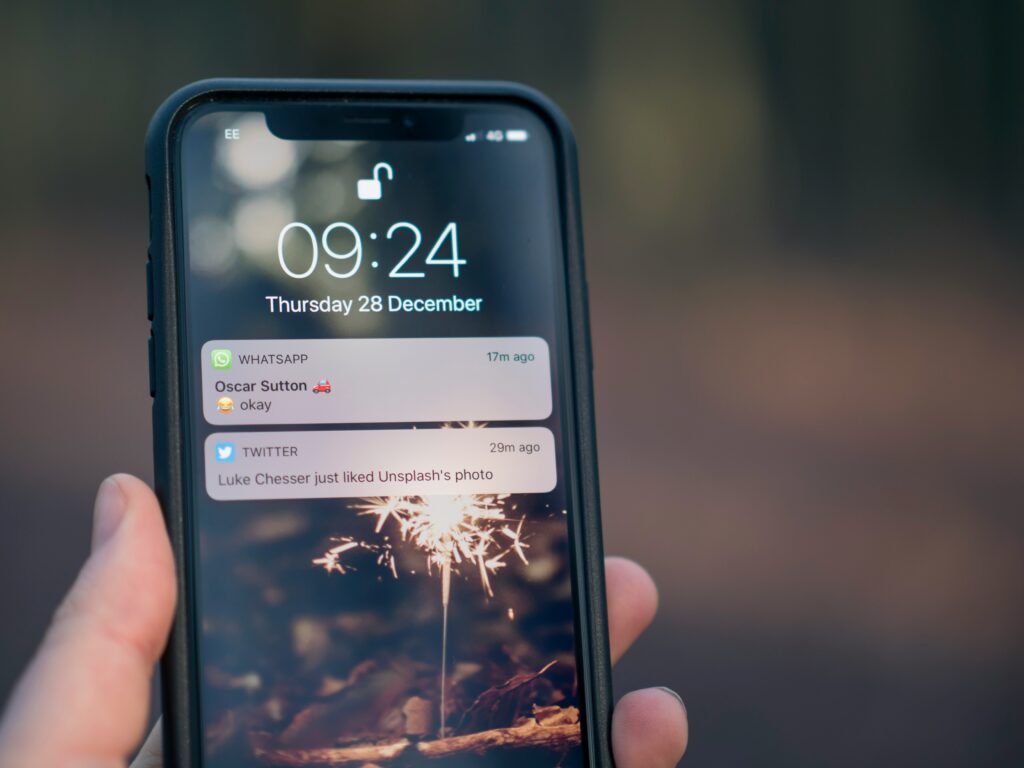
Keeping only essential notifications can dramatically improve concentration.
3. Organize Your Digital Workspace
A clean digital workspace saves time and reduces stress.
Streamline your digital environment by:
- Creating structured folders
- Archiving old emails
- Consolidating note-taking tools
- Deleting outdated files
Organization makes daily work smoother and more efficient.
4. Be More Intentional About Social Media Use
Social media platforms are built to keep users engaged for extended periods.
Setting boundaries helps prevent endless scrolling.
For example:
- Limit your social media use to planned time slots
- Move distracting apps away from your main screen
- Access platforms only from a browser
These small changes can significantly reduce digital distraction.
5. Set Aside Time Without Screens
Regular breaks from digital devices help restore mental clarity.
Examples include:
- Device-free mornings
- Focusing on your meal instead of your phone
- Screen-free evenings
Taking time away from screens helps your mind recharge.
Helpful Tools for Digital Minimalism
While digital minimalism encourages reducing unnecessary apps, some tools are specifically designed to help users control digital distractions.
Below are a few examples of categories that support a healthier digital lifestyle.
Focus-Enhancing and Distraction-Blocking Tools
Applications designed to block distracting websites can significantly improve concentration.
One popular tool in this category is FocusMe, which allows users to block specific websites, schedule focus sessions, and limit access to time-wasting platforms.
These apps can be very effective for:
- Remote workers
- Students
- Writers
- Developers
If you want a deeper analysis of this type of software, you can read our detailed FocusMe review where we explore its features, pricing, and real-world use cases.
Productivity Tool Ecosystems
Some users prefer an integrated collection of productivity tools instead of managing multiple separate apps.
Services like Setapp offer a subscription that bundles numerous productivity applications into one platform.
This approach can help reduce digital complexity by providing:
- Note-taking tools
- File organization apps
- Task management systems
- Productivity utilities
We explore this approach in more detail in our upcoming Setapp review, where we analyze whether this type of bundled ecosystem is worth the investment.
Productivity and Focus Apps
Another category of digital minimalism tools focuses on time-based focus sessions, often inspired by the Pomodoro technique.
These apps can assist users in:
- Structuring work sessions
- Tracking productivity
- Staying disciplined with their focus routine
In future articles, we will also examine tools such as FocusBox and Focusmo, which are designed specifically to support deep work sessions.
Some of these tools offer free trials or flexible plans, making them accessible for individuals who want to improve their digital habits without a large upfront commitment.
30 Days to Simplify Your Digital Life
One effective way to adopt digital minimalism is through a short digital reset period.
A simple 30-day challenge can help break automatic digital habits.
Week 1: Awareness
Stay conscious of your digital activity:
- Screen time
- App usage
- Notifications received
Understanding your habits reveals the biggest distractions.
Week 2: Declutter
Remove:
- Unused apps
- Unnecessary subscriptions
- Distracting notifications
The goal is to simplify your digital environment.
Week 3: Swap Out Old Habits
Replace time spent on low-value digital activities with more meaningful alternatives such as:
- Reading
- Exercising
- Learning new skills
- Creative work
Week 4: Mindfully Bring Technology Back
After the declutter phase, reintroduce only the digital tools that genuinely support your goals.
This process helps build a sustainable minimalist digital lifestyle.
Real-World Insight: What Happens When You Apply Digital Minimalism
After simplifying a typical digital setup, removing non-essential apps, disabling most notifications, and limiting social media access, one noticeable change appears quickly: improved focus.
Within days, users often find it easier to concentrate without ongoing distractions. Work sessions feel shorter but more productive, and the urge to check the phone decreases significantly.
Over time, another effect becomes clear: reduced mental fatigue. Instead of feeling overwhelmed after long hours online, users often report a calmer, more controlled digital experience.
One key idea to remember is that digital minimalism isn’t about being perfect. It is about awareness and intentional use of technology. Even simple changes can bring noticeable benefits.
Key Benefits of Simplifying Your Digital Life
Adopting digital minimalism can produce several long-term benefits.
It is closely related to digital detox, which involves reducing or eliminating digital distractions for a period of time. To better understand how it works in practice, you can read this detailed guide on how to do a digital detox from Verywell Mind.
Improved Focus
Fewer distractions allow deeper concentration on meaningful work.
Increased Productivity
A simplified digital environment reduces time wasted switching between apps and tasks.
Better Mental Well-Being
Reducing information overload can decrease stress and mental fatigue.
Stronger Real-World Connections
Spending less time online often leads to more meaningful interactions offline.
Better Control of Your Tech Usage
Instead of reacting to constant notifications, users regain control over when and how they engage with digital tools.
Final Reflections: Creating a Healthier Tech-Life Balance
Technology can be a tool, not a threat.
In fact, digital tools have enabled incredible progress in education, communication, and productivity.
The challenge is learning how to use these tools wisely.
Digital minimalism offers a simple but powerful principle:
Technology should serve your goals – not dominate your attention.
By simplifying your digital environment, reducing unnecessary distractions, and choosing tools intentionally, you can create a more balanced relationship with technology.
The result is often greater focus, improved productivity, and a calmer digital lifestyle.
Small changes today can lead to a healthier digital life for years to come.
Digital Minimalism: Common Questions
How would you define digital minimalism?
Digital minimalism is the practice of intentionally choosing which technologies to use while eliminating unnecessary digital distractions.
Does digital minimalism require giving up social media?
Not at all. Many people still use social media but limit when and how they access these platforms.
Can digital minimalism help boost productivity?
Yes. Reducing digital distractions allows deeper concentration and more efficient work sessions.
Is digital minimalism difficult to adopt?
Most people can start with small changes such as disabling notifications, deleting unused apps, and organizing digital files.
Are there tools that help reduce digital distractions?
Yes. Several applications are designed specifically to block distracting websites or structure focus sessions, helping users maintain a healthier relationship with technology.
If you want to take this further, consider starting with a simple 7-day digital reset and gradually building more intentional digital habits.